
Mobile comics: The essential guide to reading, creating, and sharing cinematic webcomics
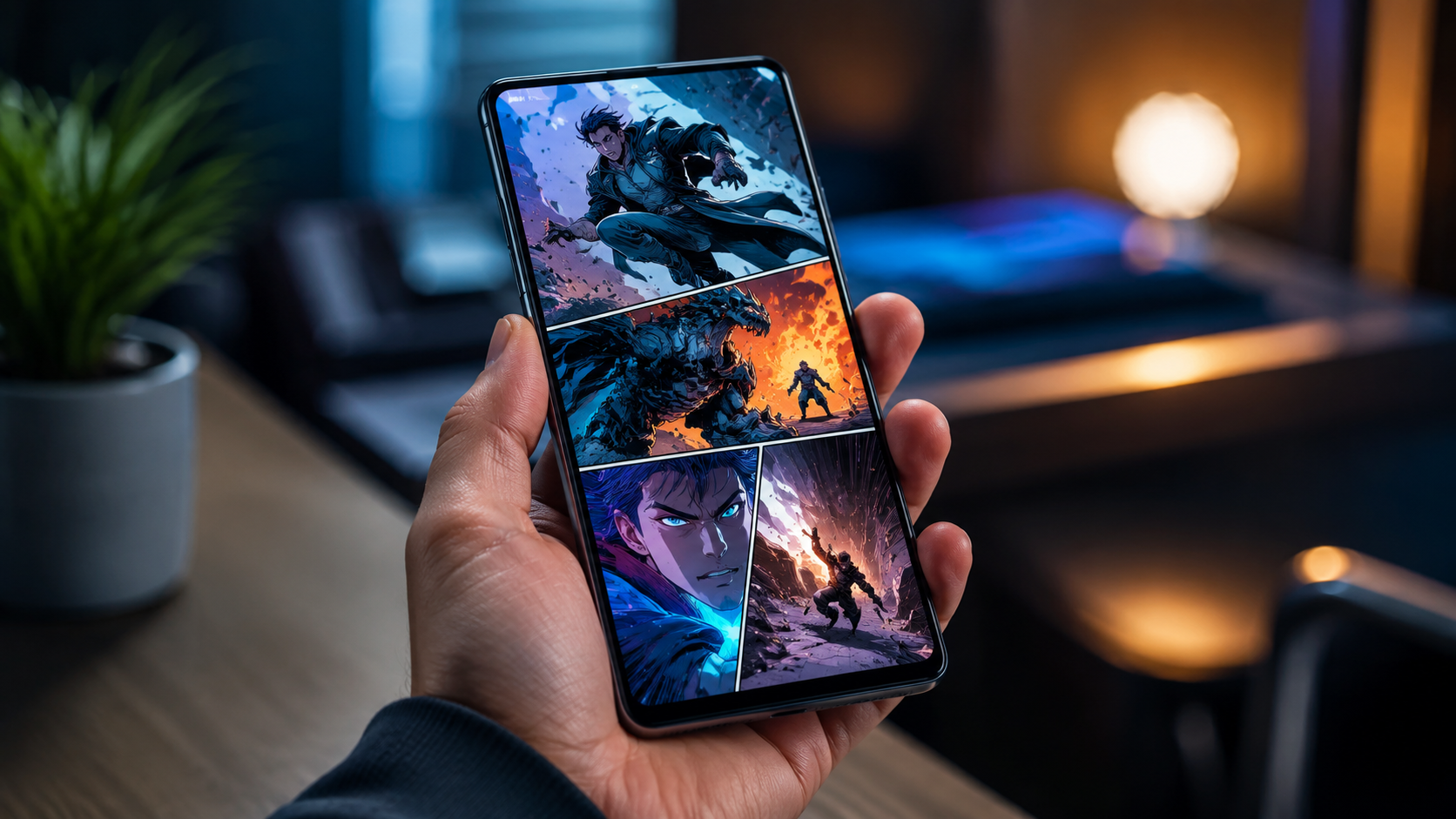
Attention: If you love comics on your phone or want to make stories that feel cinematic on a small screen, this guide is written for you. Mobile comics are storytelling optimized for handheld devices — they use vertical scrolling, bold framing, and tight pacing to make every swipe count. Whether you read daily on the subway or you’re an artist preparing your next series, you’ll find practical techniques, distribution options, and promotion tactics you can use right away.
Quick answer
Mobile comics are comics designed primarily for smartphones and small screens. They favor vertical layouts or single-panel-per-screen pacing, simplified layouts, readable text at small sizes, and progressive storytelling that matches the user’s scroll. For creators and readers, mobile comics offer a cinematic, immediate experience and better discoverability when formatted and promoted properly.
Why mobile comics matter now
Mobile-first habits are the norm for readers aged 16–35. People discover stories through short video, social feeds, and in-app recommendations — not just full-screen comics stores. Mobile comics meet that behavior: they’re fast to load, optimized for one-handed reading, and structured to keep attention between swipes. For creators, this means you can deliver emotional hits and cliffhangers in bite-sized beats that match how audiences scan content today.
Beyond consumption, mobile comics lower barriers to entry. A single-page vertical reader on a website or on a platform can reach thousands overnight. Visual storytelling that reads well on phones often performs better on TikTok and Instagram when converted to short clips, giving creators cross-platform promotional leverage.
How mobile comics differ from traditional comics
There are a few consistent differences to keep in mind when moving from print or horizontal comics to a mobile-first format:
- Layout: Vertical scroll or single-frame-per-screen replaces multi-panel horizontal pages.
- Pacing: Each swipe becomes a narrative beat — tighter panels and clearer visual focus are essential.
- Text sizing: Dialogue must be legible on small screens; fewer, stronger words work better.
- Framing: Use cinematic close-ups and negative space to control reading flow.
- File optimization: Compressed images and responsive delivery improve load times and retention.
Design fundamentals for mobile comics
Design choices make or break the mobile reading experience. Focus on clarity, emotional punch, and smooth progression from panel to panel.
Paneling and composition: how to guide the eye
Think of each smartphone screen as a single cinematic frame. You can present one full panel per screen or stack smaller panels in a vertical column. Use large, readable focal points: faces, hands, or a single prop. Control pacing by how much visual information you reveal per swipe. For a surprise, show a close-up on one screen and the reaction on the next.
Practical tips:
- Center important elements vertically for most comfortable reading on phones.
- Avoid tiny background details that vanish on small screens; simplify backgrounds.
- Use diagonal and vertical lines to lead the eye down the page.
Typography and dialogue: readable and natural
Legibility is critical. Use larger base sizes than print comics, and keep speech bubbles simple with high-contrast text. Shorten dialogue to its emotional core — mobile readers skim, so scannable phrasing wins.
Practical rules:
- Set dialogue at sizes that remain clear on a 4–6 inch screen (test on multiple devices).
- Limit words per bubble; break long lines into multiple panels if needed.
- Use consistent fonts and avoid overly ornate lettering for body text.
Color, contrast, and mood
Vivid color and strong contrast read better on phones than subtle mid-tones. High contrast improves visibility across different lighting conditions. If your story relies on mood shifts, use color to mark emotional beats (cold palettes for distance, warm for intimacy), but keep transitions clear so they’re readable at thumbnail scale in social previews.
Technical checklist for creators preparing mobile comics
This checklist helps you prepare deliverables that load fast and look great on phones:
- Canvas size: common vertical sizes are between 800–1400 px width and variable heights; design at 2x resolution if you want crisp visuals on high-density screens.
- File formats: JPG or PNG for single images; WebP when supported for better compression.
- Compression: target 100–300 KB per panel where possible without losing line clarity.
- Safe margins: allow breathing room so nothing is cut on devices with UI overlays.
- Accessibility: add descriptive alt text and keep dialogue plain-text accessible where platforms allow.
Workflow: from script to scroll
Efficient workflows save time and improve quality. Below is a practical pipeline many creators use:
- Outline: Break your episode into 8–20 beats; each beat should map to one or a small group of panels.
- Thumbnail: Fast sketches to find camera angle and pacing for each beat.
- Line art: Clean lines optimized for small-screen clarity.
- Tone and color: Flat colors first, then lighting to guide the eye and mood.
- Lettering: Place speech carefully; test legibility at phone size.
- Export and test: View on several devices and adjust compression, margins, and text size.
Common mistakes to avoid
A few pitfalls often trip up creators moving to mobile-first formats:
- Cramping panels with too much text or tiny visual detail.
- Using elaborate fonts for body text that become unreadable on phones.
- Ignoring top/bottom UI overlays on phones and cutting important elements off-screen.
- Failing to test on slower connections — heavy files can kill retention.
Where to publish mobile comics: options and how to choose
Choosing the right distribution path depends on your goals: reach, control, monetization, and workflow. Below is a comparison to help decide.
| Distribution method | Best for | Pros | Cons |
|---|---|---|---|
| Mobile-optimized website | Creators who want control and branding | Full control of design, direct fan relationship, flexible monetization | Requires maintenance, driving traffic is on you |
| Hosted platforms and apps | Creators seeking discovery | Built-in reader base, easy onboarding, app recommendation engines | Revenue share, limited design customization |
| Social snippets and short videos | Promotion and virality | Huge reach potential, easy to repurpose pages as short content | Not ideal for complete episodes; ephemeral attention |
| Paywalled apps/subscription | Established creators with loyal fans | Predictable income, early-access perks | Requires critical mass and frequent updates |
| Downloadable formats (PDF, EPUB) | Archiving or collectors | Offline reading, easy bundling | Limited discoverability, layout may not be ideal for all phones |
If you’re publishing on your site, consider a mobile-optimized reading page and social-friendly preview images. 86COMICS focuses on cinematic, mobile-friendly releases; you can showcase series and episodes in a scrollable format to match reader expectations — see the series listing on our site for layout inspiration: 86COMICS series page.
Promotion strategies that work for mobile-first audiences
Promotion for mobile comics should match how your audience discovers content: short video, social thumbnails, and community engagement.
Repurposing episodes into short clips
Turn key panels or animated panning into short videos for TikTok, Instagram Reels, and YouTube Shorts. Use motion (parallax, slow zooms) and voiceover to create curiosity, ending with a prompt to read the full episode on your reader link.
Thumbnail and metadata optimization
Thumbnails are often the first thing a potential reader sees. Use faces, high-contrast colors, and big emotions. On your web reader, include clear episode titles, short summaries, and tags that match how people search: “romance mobile comics”, “psychological webcomic”, or “horror vertical comic”.
Community building
Direct engagement keeps readers coming back. Use your social channels and a simple mailing list. Share behind-the-scenes art, character sketches, and process videos. For example, you can link fans to your creator page or community updates on social: 86COMICS on Facebook.
Monetization models and when to use them
Mobile comics can be monetized in multiple ways. Choose models that suit your output frequency and audience size.
- Ad-supported free reading: Good for discovery when you have steady traffic.
- Microtransactions (per-episode unlocks): Useful if episodes are short and frequent.
- Subscriptions / Patreon-style memberships: Great for committed readers and predictable revenue.
- Merch and print editions: For strong IP and fans wanting collectibles.
- Sponsorship and brand partnerships: For creators with niche audiences and reliable metrics.
What to compare when choosing a model:
- How often you can publish (regular updates favor subscriptions).
- Audience willingness to pay (test small paid episodes first).
- Platform fees and payment processing costs.
Measuring success and improving retention
Track metrics that matter for mobile reading: completion rate (how many readers finish an episode), return rate (how many come back for the next episode), and conversion (email signups or paying readers). Use A/B tests for thumbnails and first panels to see what increases click-through and retention.
Practical experiments you can run:
- Test two different first-panel compositions to see which retains readers better.
- Try offering one free episode and locking the rest to see conversion from curiosity to paid readers.
- Measure the effect of shorter vs longer episodes on completion rate.
Accessibility and inclusive design
Accessibility broadens your audience and improves SEO. Include readable alt text, readable fonts, and text transcripts of dialogue when possible. Avoid relying solely on color to convey meaning — supplement with icons or clear visual cues.
Checklist for accessible mobile comics:
- Alt text for every episode image describing the action and mood.
- Contrast checks for text-over-image panels.
- Plain-text transcripts for screen readers when a platform allows it.
Practical examples and use cases
Here are a few real-world scenarios and how to approach them:
Short romantic episodes for daily readers
Format: 6–12 panels per day, each panel a single screen with a close-up. Strategy: end each daily episode on a small emotional cliff to encourage return. Monetization: accumulate episodes into a paid chapter or offer ad-free subscription for binge readers.
Horror series with cinematic reveals
Format: slow build with pacing controlled by negative space and sudden close-ups. Strategy: use black frames or gradual reveal panels to build tension. Monetization: release longer serialized chapters as paid content or use in-app tipping for mid-episode surprises.
Fantasy worldbuilding and maps
Format: combine wide vertical shots with insert close-ups for character reactions. Strategy: provide companion pages that map the world or show timelines, optimized for pinch-to-zoom on mobile. Monetization: sell collector maps and artbooks as downloadable extras.
Comparison checklist: Are mobile comics right for your project?
Answer these quick questions honestly to decide whether to commit to a mobile-first format:
- Is your target audience primarily on phones and social platforms?
- Can your story be paced into short, scrollable beats?
- Do you have the resources to optimize layouts and test on devices?
- Are you prepared to iterate thumbnails and thumbnails based on reader behavior?
If you answered yes to most of these, mobile comics are a natural fit. If your story relies on large double-page spreads or dense dialogue, consider a hybrid approach: mobile-optimized episodes plus downloadable full-resolution editions for collectors.
Checklist for launching a mobile comic episode
Use this launch checklist to reduce friction and increase impact:
- Finalize thumbnails and test pacing on multiple devices.
- Optimize images for mobile (correct resolution and compression).
- Write a compelling one-sentence hook for social posts and thumbnails.
- Add alt text and meta description for the episode page.
- Prepare a short promo clip for social distribution.
- Schedule a community post or live update to encourage first-day reads.
Frequently asked questions
What resolution should I use for mobile comics?
Design at a width that suits modern phones — many creators use 1080–1400 px width for better detail on high-density displays. Height is flexible; design at 2x pixel density if you plan to scale down. Always test on real devices and compress files to balance quality and performance.
Are vertical scroll comics better than single-page layouts?
Both can work. Vertical scroll excels at continuous pacing and works naturally with social platforms. Single-page layouts that show one major beat per screen can feel cinematic and controlled. Choose the one that best serves your story’s rhythm.
How often should I publish to grow an audience?
Consistency matters more than frequency. Weekly updates are a strong baseline for serialized stories. Daily micro-episodes can accelerate growth but demand more production capacity. Test cadence and watch return rates to find what your audience prefers.
Can I use animated panels or sound in mobile comics?
Yes, light animation and ambient sound can enhance immersion but use them sparingly to avoid overwhelming slow connections or distracting from core storytelling. Offer an option to mute animations or sound where possible.
How do I get discovered as a new mobile comics creator?
Combine platform discovery with social promotion. Submit to curated platforms, optimize thumbnails and metadata for search, and repurpose panels into short videos for TikTok and Reels. Engage with communities and consistent posting schedules, then convert traffic to an email list or direct fan channel.
Final advice: start small, iterate fast
Mobile comics reward smart iteration. Start with a short story or pilot episode, test how readers respond to your pacing and thumbnails, then refine. Use metrics like completion and return rates to guide changes. Keep designs simple for fast production without sacrificing emotional clarity — strong characters and precise beats will carry your story more than complex layouts.
If you’re looking for a platform that emphasizes cinematic, mobile-first comics, check how series are presented on this site to get ideas for layout and pacing: 86COMICS series. For community updates and engagement, follow our social page where we share process work and announcements: 86COMICS on Facebook.
Mobile comics are a creative opportunity: they meet readers where they are, support emotional storytelling in small beats, and open paths to discovery across social platforms. Start with a strong hook, respect the small screen, and build a direct relationship with your fans — the rest follows.